What Is the Most Accurate Way to Find Decision-Maker Contact Information?
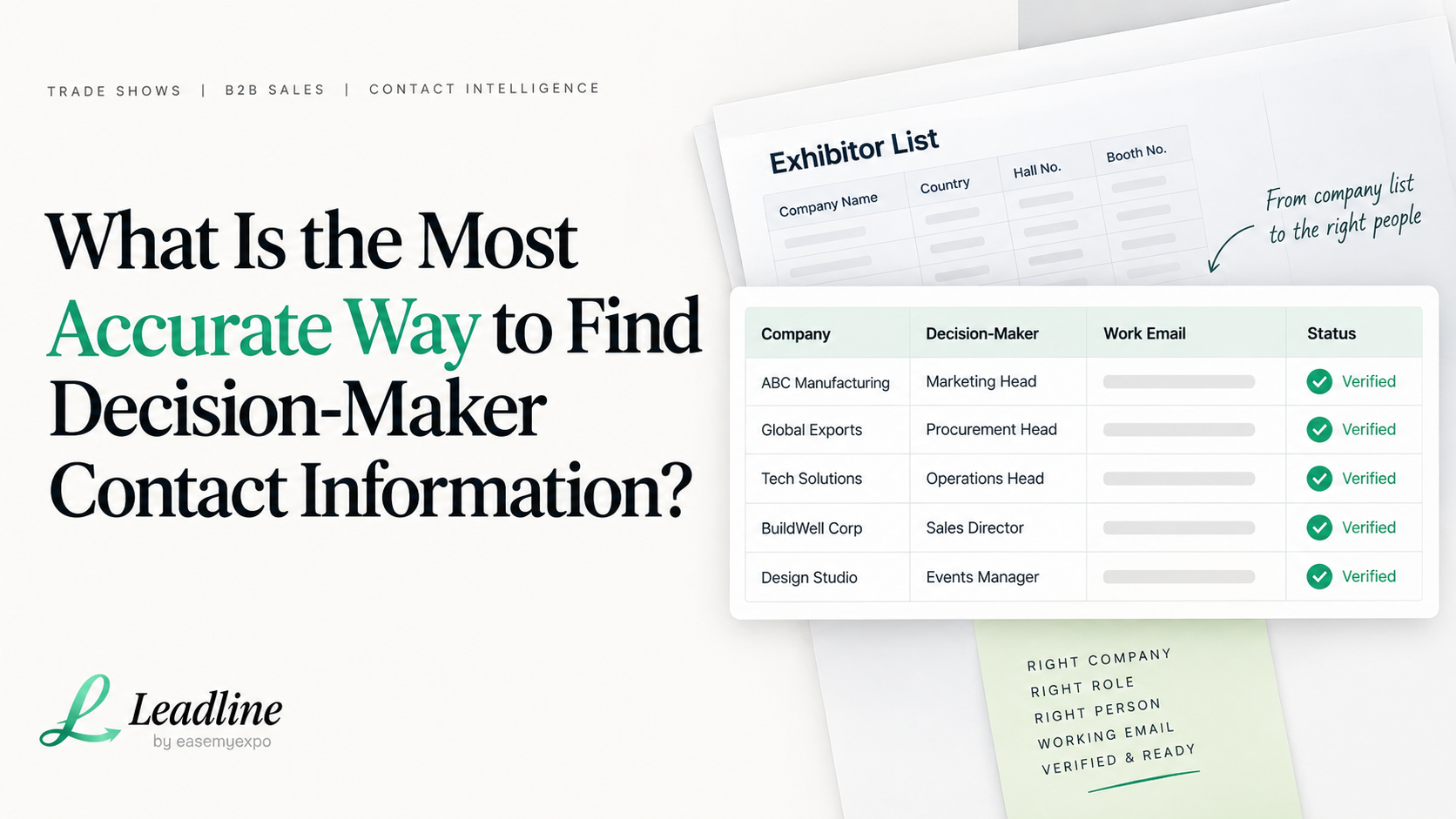
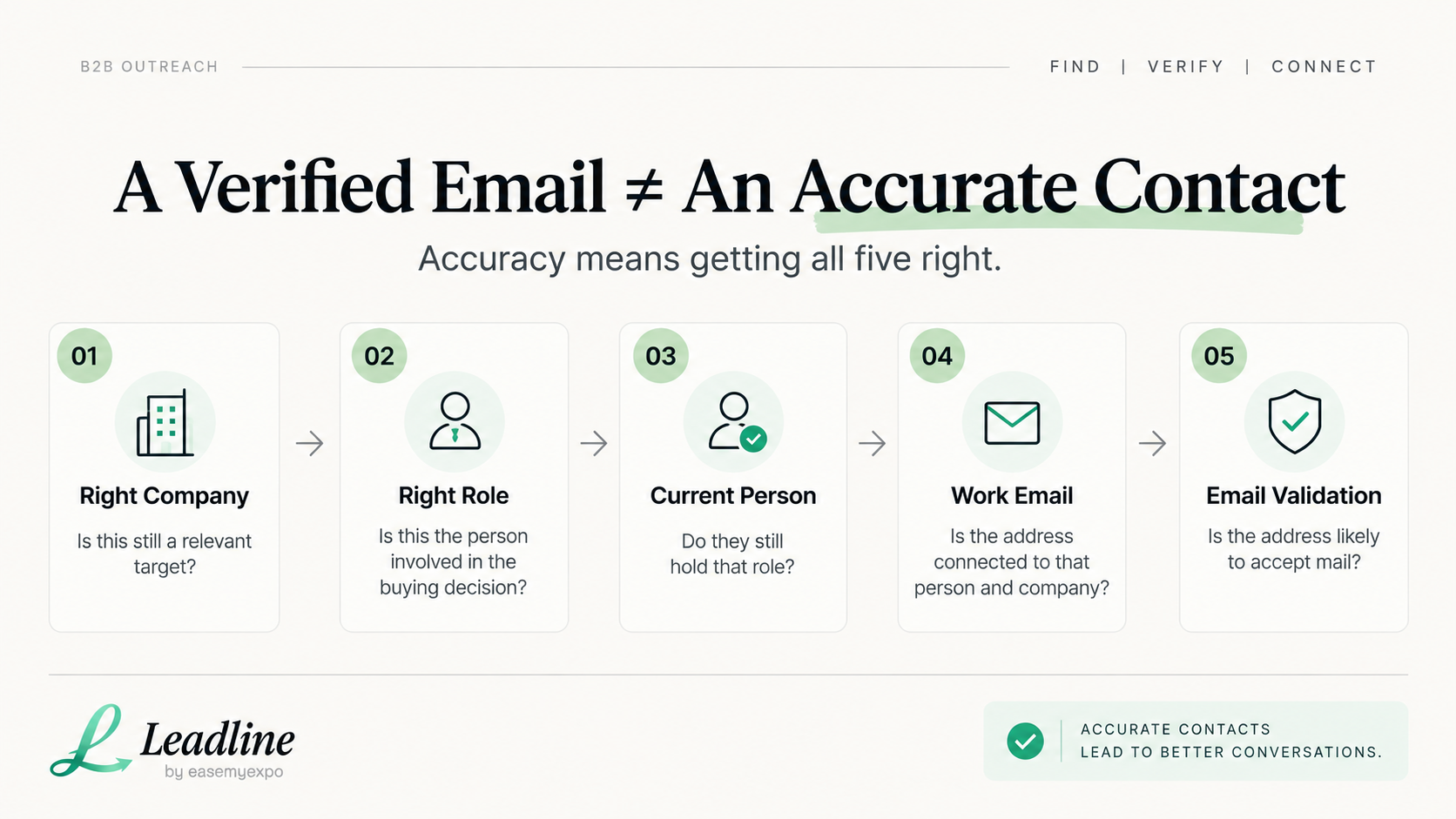
There are 5 ways to check the accuracy of a decision maker's contact information: company, right purchasing role, right person in that role, working email, and that the email will end up in an inbox. If an email is valid, but gets to the wrong person, then it is not accurate.
People who are looking for this question already know how to look up an email address. The more difficult part is deciding if it's the right one. There is a possibility that a pattern can be guessed and pass the syntax check. A LinkedIn profile may be outdated for several months. A contact in the database that is verified could have changed jobs last quarter. Nothing of that occurs until the email bounces, or the call doesn't connect.
This guide addresses what accuracy means, how to manually test accuracy company by company, where it fails when volume grows and where a tool such as Leadline fits in.
What "accurate" means for a decision-maker contact
The decision-maker contact is correct when all of the following apply:
- The company remains a viable option for a target. Has not been bought, renamed or closed.
- The position is the right fit when it's the buying position instead of any senior role in the company.
- That's currently the person who holds the position. Not six months ago.
- The mail format is appropriate for that person at that company, and it's actually an address and not a guess.
- An email has been sent through and tested for deliverability before it goes into an outreach sequence.
Most ‘email finder' programs scan the fourth item. They validate a sequence of characters that is supposed to be a valid address. They do not verify the person is still employed there, is still the owner of the position, etc.They are not verifying that the person still works there, or is the right person to call in the first place. That's where most of the bad contact data is derived from.
How to verify a decision-maker's contact information
This is the manual process, done properly, for one company. It works, but it's also the part that becomes hard to sustain at volume, as the sections below explain.
Step 1: Confirm the company is still a live target
Look at the company's website first. Check for a recent press release, a live careers page or an "About" section that has not been abandoned. If there is a date of copyright 2023, and it has not been updated in recent years, it is an indicator that it is not worth investing time into the site.
Step 2: Find out what the role of the purchaser is, not who the buyer is.
Before searching for a name, you should choose a title that is relevant to the item(s) you are looking to sell. For a middle-sized manufacturer, it could be the "Head of Procurement" or "VP of Operations. In the case of a stall fabrication company that sells to exhibitors, the person who owns the marketing budget or events budget is typically the one, and not the CEO. Teams will find a person to fill a role before they determine the specific job requirements, and as a result that person will have limited influence over the purchase.
Step 3: Identify the current incumbent of that position
You can search for the company on Linked-In and narrow it down to the job listed in Step 2. Compare the name to the company's leadership or team page (if available). One source is correct and the other is incorrect. If one name appears on LinkedIn and another appears on the website, then the source is outdated and it needs to be resolved by a third source.
Useful resource: LinkedIn People Search
Step 4: Identify the work e-mail address
Look for any email address (for example a press contact or sales inbox) that the company has published. Most follow the same pattern, for example, firstname.lastname@company.com or first initial plus last name. Use that pattern with the name of the actual decision maker only after verifying the name from an actual, published decision-maker. One of the most frequent causes of poor data is a pattern that is guessed from another company's pattern.
Step 5: Validate an email before use.
Perform an email verification check on the address by contacting the domain's mail server to see if the mailbox is likely to accept mail. This will stop typo and formatting errors where they were correct last year but not this year.
Step 6: Double check with another source
So make sure you have the contact's name verified by at least one other source before putting the contact into an outreach list: a second LinkedIn mention, a recent article in the news about the contact in that position, or a list of event speakers. There are times when one source is not completely accurate. If two independent sources agree, it's a much more positive indicator.
Example: verifying one decision-maker contact
This is a hypothetical example to show the workflow, not a real company or result.
A sales team is targeting Company X, a mid-size furniture exporter exhibiting at an upcoming trade show. They want whoever manages export sales, not the general info@ inbox.
- Confirm Company X's website is active and the company is still exhibiting.
- Search LinkedIn for "Export Manager" or "International Sales Head" and find one person who has held the title for over a year.
- Find a published press contact email, note the format is firstname@companyx.com, and apply it to the decision-maker's first name.
- Run the address through email validation and confirm it is likely to deliver.
- Cross-check the name against a recent exhibitor listing that names the same person as the point of contact.
Five checks, five confirmations, one contact. For one company, this takes about ten to fifteen minutes.
Where this breaks down across dozens or hundreds of companies
The process above is sound. The problem is repeating it at scale. A team targeting 40 companies is looking at roughly six to ten hours of careful manual research. A team working from an exhibitor list of 300 to 800 companies, common for a mid-size exhibition, is looking at days of work if the same standard holds.
Under that kind of time pressure, teams start cutting corners: skipping the cross-check, guessing the email pattern instead of confirming it, or dropping the title check because the deadline is close. That is how "accurate enough" data turns into stale titles and bounced emails, not because anyone was careless, but because the manual process does not scale with list size.
Related guide: Trade Show Exhibitor Search: How to Find the Latest Exhibitor List
Common mistakes that produce bad contact data
Relying on a stale job title is the most common one. HubSpot's analysis of marketing database decay puts the annual rate at roughly 23%, meaning close to a quarter of a typical contact database becomes materially inaccurate within a year.
Source: HubSpot, Marketing Database Decay
Guessing an email pattern instead of confirming it is another. Formats change after mergers, rebrands, or domain migrations, and a pattern that worked for one company rarely transfers to another.
Defaulting to a generic inbox causes the same problem in a different form. An info@ or sales@ address routes to whoever checks it that week, rarely the person who owns the budget.
Trusting an old database without a re-check is a fourth. Any database, purchased or self-built, is a snapshot from the day it was compiled, and the longer it sits unused, the more it has gone stale.
Using a single source and stopping there rounds out the list. One LinkedIn profile or one old press mention is a data point, not a confirmation.
When doing this manually makes sense
For a short list of high-value accounts, under 20 to 30 companies, doing this manually is often the right call. You get more control over quality and build familiarity with each account along the way. For a small, focused outbound push or a handful of strategic exhibitors ahead of one show, there is no need for a tool.
When a tool becomes useful
The tipping point is usually list size and repetition. Once you are working through more than a few dozen companies, or repeating this process before every trade show, the manual version starts costing more in hours than it is worth. Manual research is not wrong at that point. It just needs more headcount or more time than most teams have before a show, which is when enrichment tools start to make sense.
Researching dozens of companies?
Turn your company or exhibitor list into decision-maker contacts without researching every company manually.
How Leadline handles this
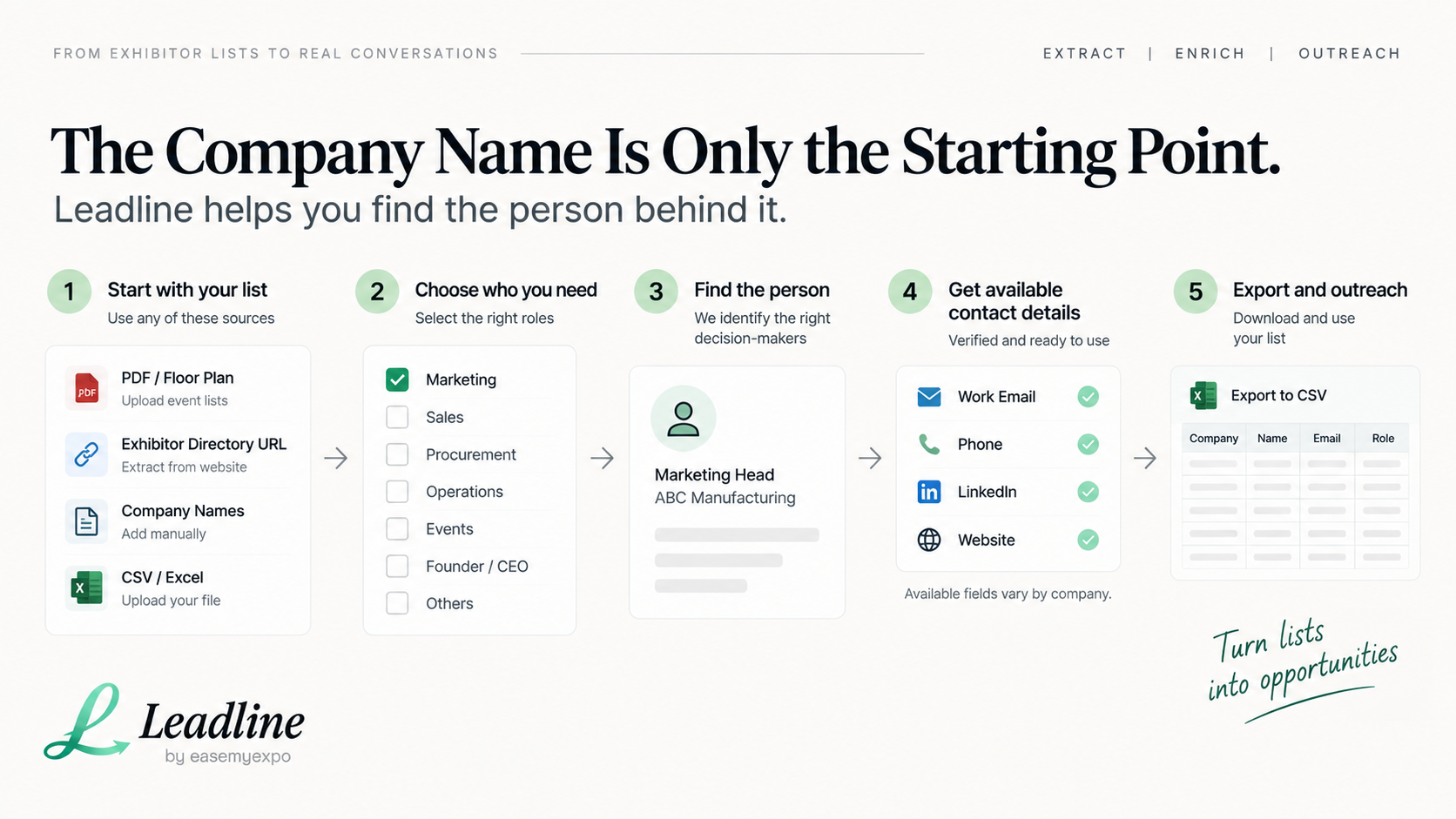
Leadline is built for this workflow when the starting point is an exhibitor list, a floor plan, or a company list rather than a single account. The process works like this.
Upload a trade show floor plan (PDF or photo), paste in a URL for an exhibitor directory, paste in company names directly, or upload a CSV file. Leadline identifies the company names; it allows you to select the decision maker position for each company; it searches for the current person holding a decision maker role at each company; it looks for an available work email address, phone number, LinkedIn profile, and website (which it validates before adding to your list); and it allows you to select a role in a company that you are interested in. The result is a CSV file that can be uploaded to a CRM like HubSpot, Salesforce or Pipedrive.
Two limits are worth knowing. Not every company returns every field, and some will lack a phone number or LinkedIn match even when the email is found. Pricing separates the extraction step, free across all four input methods, from the enrichment step, which uses credits under a Daily, Weekly, or Monthly plan. Credits are consumed only when a contact is found and validated.
This does not replace the judgment in Steps 1, 2, and 6. Confirming the role you need and cross-checking your highest-value contacts is still worth doing by hand. What it removes is the repetitive work of Steps 3 through 5 across a long list.
Frequently asked questions
Should the accuracy be guaranteed by a verified email address?
No. The address is probably a good one to accept mail if it is verified. Does not verify the person is still employed by the company or still is the title holder.
How often does contact information for the decision makers become outdated?
According to research from HubSpot, B2B database decay averages approximately one-quarter of a contact list per year; that's about a 23% rate of material inaccuracy over a period of 12 months.
Should one try to deduce the pattern of an email or should one simply look it up?
Check it out first. Double-check the actual structure of the company by using a real, published source like a contact for the press or in a published example, not from another company.
What's the problem with the "info at" or "sales at" type inboxes?
It's delivered to the one who checks it that week, which is usually not the person who does the buying, and general inboxes are less likely to be responded to than a named contact.
When is it ok to not use a tool and instead do the research manually in a sales team?
When the number of companies to include is small, typically less than 20 or 30, and the value of the contact is also low, then it is usually worth the extra time that it gives you to include it in a short list. When the list is bigger or if you have to repeat the research every trade show, it becomes more difficult to maintain.
Does Leadline assure an email, phone number, and LinkedIn profile for every company?
No. Leadline does query for available info and confirms the data returned, but not all companies provide all of the information.
Will this process work if I'm on an enterprise sales call outside of a trade show?
Yes. The 5 step accuracy check process can be used on any B2B outreach list and not only on exhibitor lists.
What to do next
If you have a short list of companies you want to target, you can do it manually as outlined above without the use of a tool. You should go through Step 1 and then move on to each company one by one.
If you have an exhibitor list and/or floor plan with more than a couple dozen companies, try using Leadline to extract and enrich, then use your own discernment to select the best contact list, before you send anything.