Trade Show Exhibitor Search: How to Find the Latest Exhibitor List
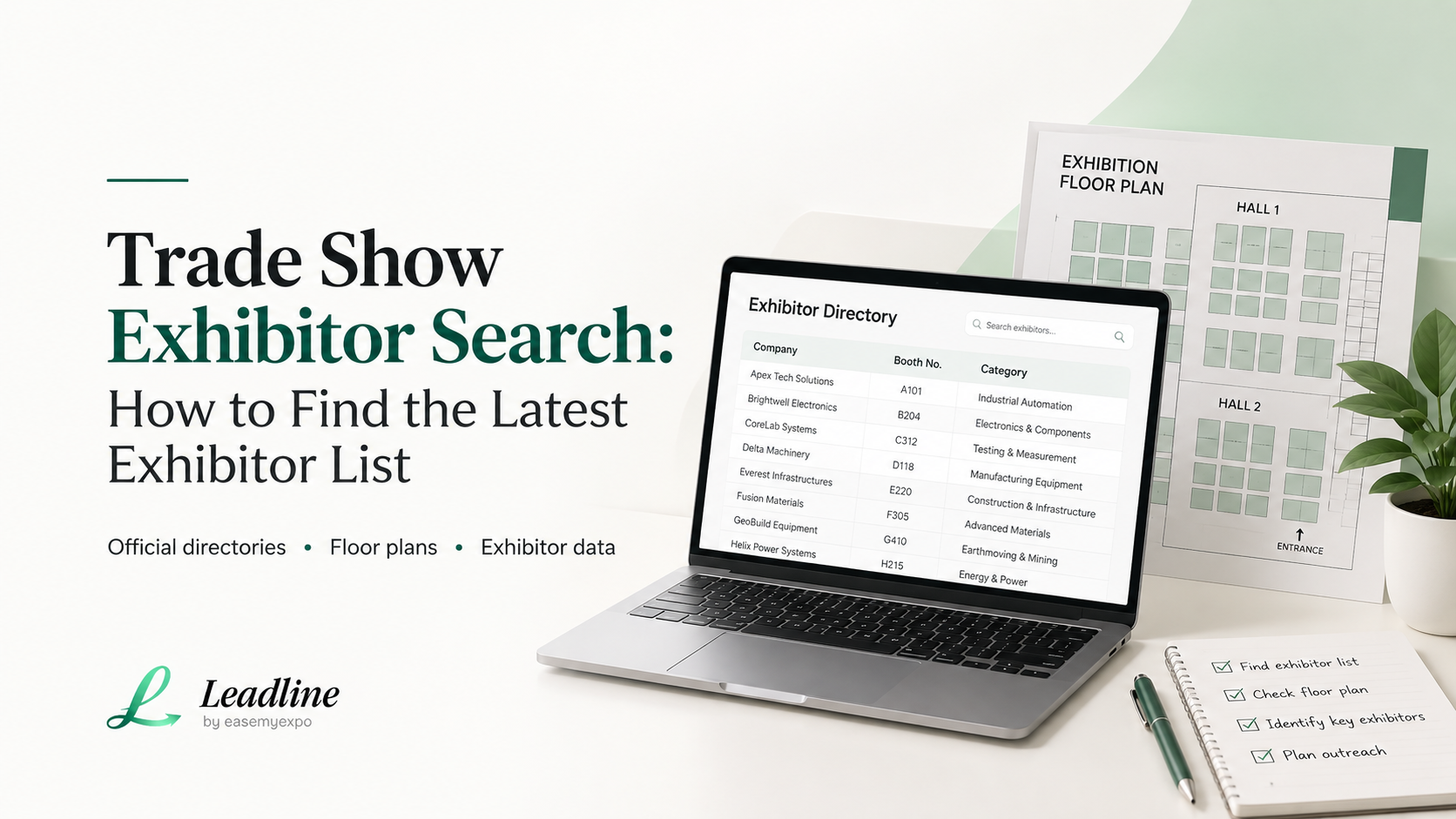
The quickest way to locate a trade exhibition exhibitor list is to start with the official website of the trade show, then the page for the trade show's floor plan, then its exhibitor directory app (such as Cvent, a2z Events, or Map Your Show, if one exists).
The majority of organizers post the list a few weeks before the show, and will update the list as new exhibitors confirm. If it is not live, it should be within a day to get a working pdf, just send a short email to the organizer.
This is the step that most people overlook. By the time you get to the list, 50% of the room has gotten it, too. There's someone on another sales team's team reading it now, going around the same booths you're going around. The exhibitor list is not only a document, it's a head start, and it goes out the window as soon as everyone else has it.
Why the Exhibitor List Matters More Than You Think
Most are using the exhibitor list as an "exhibitor check list. Come in and look at a few names, stroll the floor and pray for the best.
That is a wrong and costly mistake.
The one thing you will learn before the trade show that will be of most assistance to you is the exhibitor list. It will tell you who will be there, what industry they are in and if you do a bit of digging, who you can speak to when you arrive. So, if you arrive without it, you're forced to improvise three days in a row on a show floor with hundreds of booths. Come with it, and you'll already know the difference between the 20 rooms that are worth visiting and the 200 rooms that aren't.
A buyer's job starts here. Not at the show. Prior to it, at a computer, days or weeks ahead of time.
The teams that win at trade shows don't win because they have the biggest booth and the best swag. They're the ones who did their homework before they set foot on the floor. The Center for Exhibition Industry Research research bears the same conclusion. One of the best indicators of an exhibit's ROI is its preparation for the show.
CEIR, Center for Exhibition Industry Research
Where to Find the Official Exhibitor List
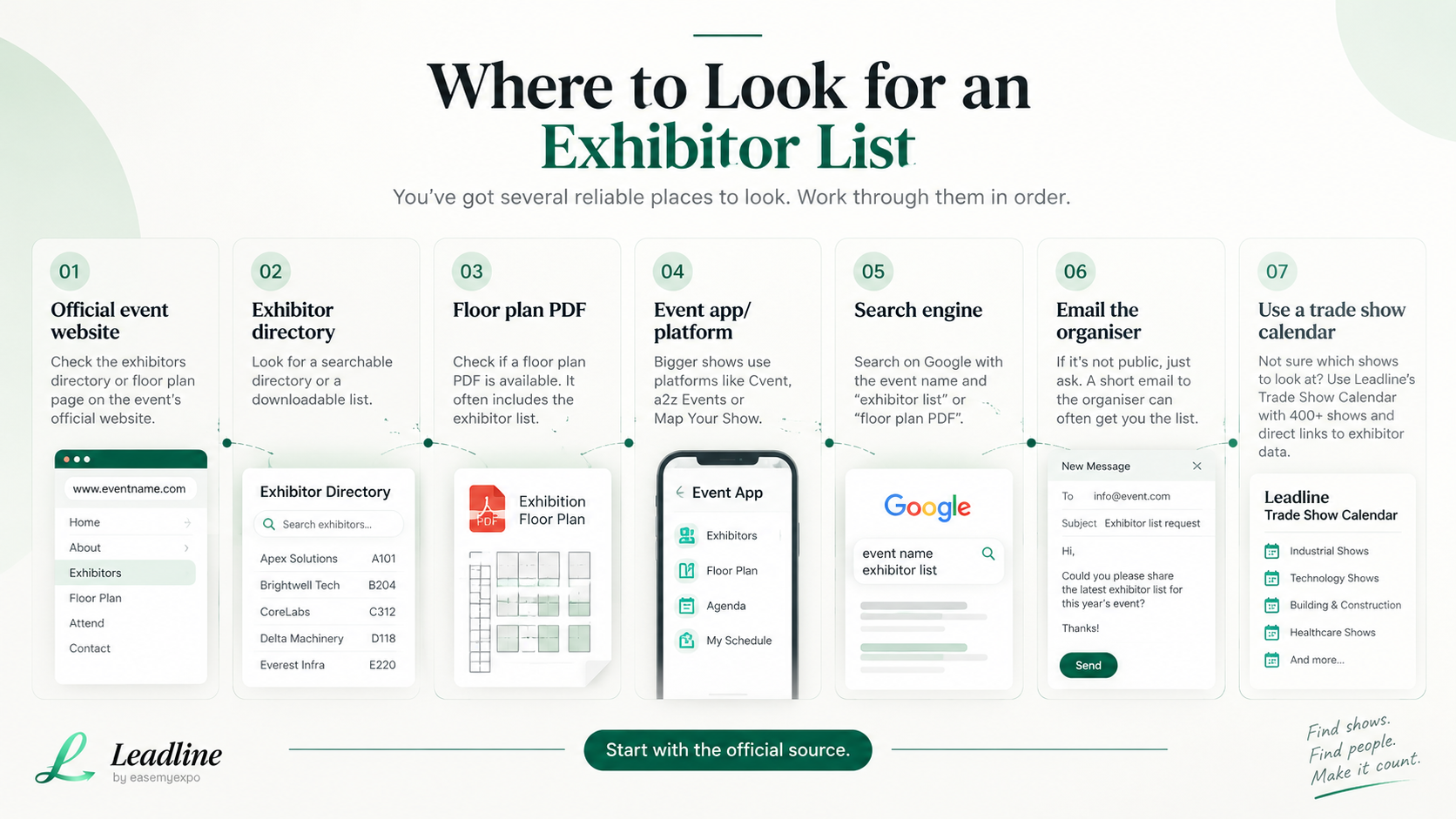
You've got several reliable places to look. Work through them in order. Most events will surface the list somewhere in this sequence.
- Always refer to the official website of the event first. The majority of trade shows have an exhibitors or exhibitor directory page that is typically found in the main navigation or under an attend or explore menu link. Check if there is a searchable Directory or a downloadable PDF Floor Plan. Bookmark this page. It frequently gets updated weekly with new companies confirming booths.
- Look for the event's official app or platform. Bigger shows run their exhibitor data through dedicated event platforms, and knowing which one an event uses tells you what kind of data you'll actually get.
- Use a search engine like Google or your favourite search engine. Enter the event name and/or "exhibitor list" or "floor plan PDF. Often, an organiser will upload standalone PDFs, ones that don't appear in the site navigation but do appear in the search results, particularly the older ones that were presented in years past that are still cached and are a good enough preview.
- Contact the organiser individually via e-mail. If it's not public, ask! A brief communication to the info address of the event will typically provide you with an initial list, particularly when you're within a couple of weeks of the event. Even the organizers are pleased to send it early, because they want the exhibitors/attendees connecting early.
- Use last year's list as a reference guide. The majority of exhibitors come back every year – particularly in repeat industry sectors. While the list for this year is still being compiled, the list from last year will be close to correct as a starting point.
- Talk to your network. Ask colleagues and/or partners if they have previously attended the same event and saved a copy of the exhibitor list or floor plan. Small but it could save a full search.
- Employ an indexed trade show calendar. If you do not even know which shows are coming up in your industry, then you should start there. You don't need to open a blank Google tab to begin searching for shows, because Leadline's Tradeshow Calendar is the index of 400+ shows with direct links to each event's exhibitor data.
Comparing the Major Exhibitor Directory Platforms
Not all event platforms present exhibitor data the same way. Knowing which one an event uses helps you know what to expect before you go looking.
Cvent is widely used for mid-size to large B2B events. Its exhibitor directories usually include company descriptions, booth numbers, and categories. Contact details are sometimes listed, but often it's just a general company profile, so you'll still need to identify the right person yourself.
A2z Events, from Personify, is common at trade association shows and large conventions. It tends to offer a strong searchable directory with filters by category or product type, plus interactive floor maps. Good for narrowing down relevant exhibitors quickly, but individual contact details are rarely included.
Map Your Show is popular for industry-specific trade shows. It's known for detailed, zoomable floor plans and exhibitor search by keyword or product category. Useful for spatial planning, figuring out your walking route, more than for contact discovery.
Smaller or regional shows often skip a full platform and just post a plain PDF floor plan. These are the least convenient to search but still contain the same core information, company name and booth number, just without the filtering tools.
Across all of them, the pattern repeats. These platforms are built to help you find exhibitors, not to help you find the right person at each one. That part is still manual, unless you use a tool built specifically for it.
How Leadline Helps You Turn a List Into Real Contacts
This is the gap Leadline closes.
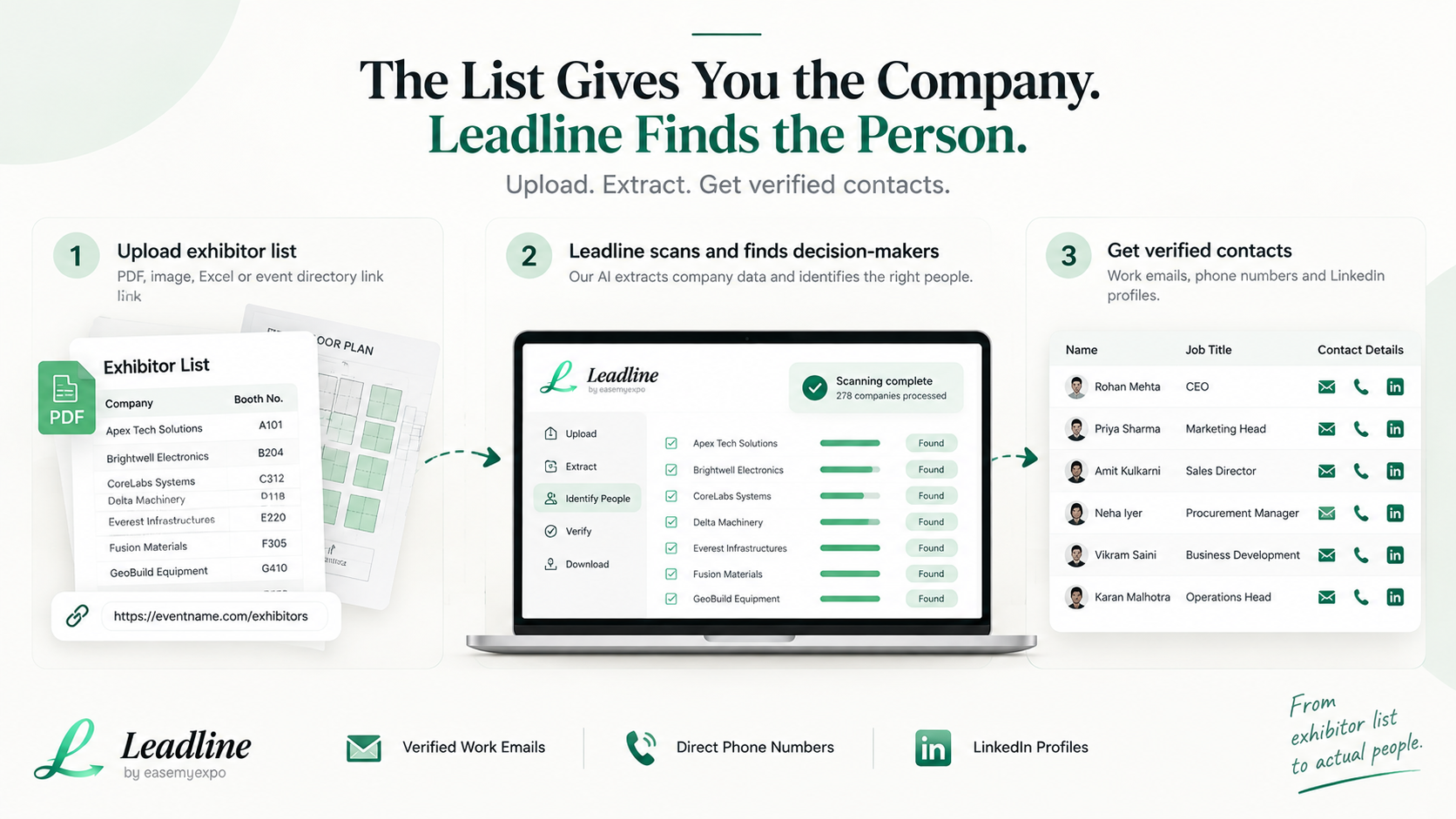
Upload the exhibitor list, the floor plan PDF, or just paste in the event's directory link. Leadline scans it and returns verified work emails, direct phone numbers, and LinkedIn profiles for the decision-makers at each company, not a generic info@ inbox nobody checks.
If you want to see how the extraction works before uploading anything, there are two short walkthrough videos that show the process end to end.
What normally takes a full day of manual digging turns into a ready-to-use list in minutes. Because the contacts are verified before the show even starts, your follow-up email goes out the next morning instead of getting buried in a stack of business cards you'll never fully sort through once you're back at your desk.
For teams that attend multiple shows a year, this adds up. More shows covered properly, more verified contacts in the pipeline, less time spent squinting at booth photos trying to remember who you talked to.
A Quick Walkthrough: From List to Booked Meeting
Here's what this looks like in practice, start to finish.
Three weeks before the show, you find the exhibitor list on the event's website. It's a searchable directory built on Cvent, listing 280 companies by category. You export or copy the names into a spreadsheet.
Two and a half weeks before, you filter the list down. Maybe you're selling to mid-market manufacturing companies, so you cut anything outside that lane. 280 becomes 45.
Two weeks before, you run that 45-company list through Leadline. Instead of spending a full day cross-checking LinkedIn and guessing at email formats, you get back verified names, titles, work emails. And phone numbers for the actual decision-makers, usually within minutes.
One week before, you send a short, personalized pre-show email to your top 20 priority contacts. Something simple, like "Saw you're exhibiting at [event], we'll be there too. Worth 15 minutes at your booth or ours?" No pitch, just a reason to connect on purpose instead of by accident.
At the show, you already know who you're looking for. Booth conversations turn into scheduled follow-ups instead of vague "let's stay in touch" small talk.
The morning after, you send a follow-up email to everyone you spoke with, referencing the actual conversation, while it's still fresh. Because you had verified contact details going in, there's no guessing at spelling or chasing down a correct email address after the fact.
That's the difference between a trade show that generates real pipeline and one that generates a bag of unread business cards.
Common Mistakes to Avoid
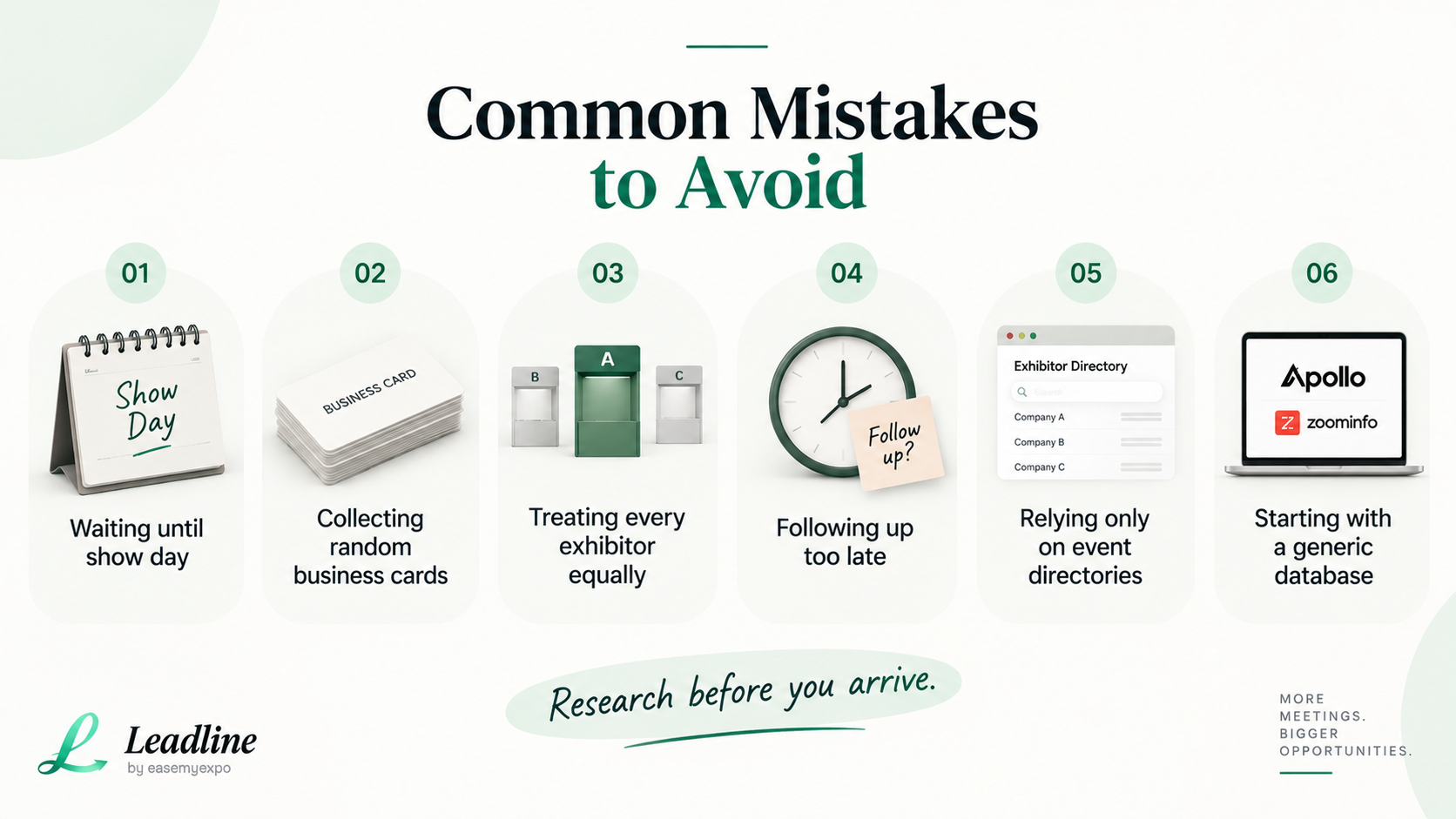
- Waiting until you're at the show to look at the list is a common one. By then, everyone else has already read it too, and the best pre-show outreach window has closed. Do your homework before you land.
- Collecting business cards instead of pre-qualifying contacts is another. Business cards are slow, easy to lose, and often belong to whoever happened to be standing at the booth, not the actual decision-maker. A pre-verified list beats a stack of cards every time.
- Treating every exhibitor as equally important wastes time. Not every company on the list is worth your effort. Spend it on the ones that actually match your ideal customer profile, and don't feel obligated to hit every booth on the floor.
- Skipping the follow-up window is costly. Leads from trade shows go cold fast, often within 48 hours. If you don't have a verified contact ready to email the next morning, you've likely lost the moment, no matter how good the booth conversation was.
- Relying only on the show's own directory for contact info leaves a gap. Most event platforms are built for discovery, not outreach. They'll tell you who's exhibiting, not who to email.
- Defaulting to a general contact database instead of an event-specific tool also slows things down. Tools like Apollo or ZoomInfo are built to search broad databases, not to start from a floor plan or exhibitor URL. The setup takes longer and the match rate is usually lower for event-based lists.
Frequently Asked Questions
What time is there for exhibitors listing at a trade show?
It is different for each show, but most show organizers release an early version 30 to 60 days before a show, and then continue to update it throughout the build up to the show as more exhibitors confirm. For smaller and newer events, there may only be a final list a week or two out.
Do all the exhibitors appear on the exhibitor list and on the floor plan?
Not always. Booth locations are indicated on the floor plan. The exhibitor directory usually has more detail, like company descriptions and categories, and sometimes contact info. Both are needed often for proper planning.
How to quickly convert an exhibitor list into real leads?
Avoid doing manual research. Upload the list or floor plan into a tool such as Leadline and in minutes, rather than hours, receive verified details of the actual decision makers.
If I am present, but not exhibiting, do I need the exhibitor list?
Yes, maybe even more. So when you're coming to a show for the sole purpose of making a pitch, the list of exhibits is not just a good to have, but your whole game plan for the show.
When is the right time to begin to fill out the exhibitor list?
2 to 3 weeks prior to the show is a good time. It allows you enough time to sort the list, check for contacts and send a quick pre-show e-mail without it being dramatically different from what you are expecting when you arrive at the event.
How do you want a pre-show outreach email to look?
Keep it short. Mention the event and let them know you'll both be there. Offer a simple low-stakes reason to talk, such as a quick chat at your booth or theirs. Don't launch the full pitch right away.
Get the Exhibitor Outreach Starter Pack
Don’t let the exhibitor list sit in your downloads folder.
The free Exhibitor Outreach Starter Pack helps you:
- Prioritize exhibitors worth targeting
- Organize the right contacts
- Track outreach and follow-ups
- Plan meetings and booth visits
- See progress on an automatic dashboard
Plus, you’ll get ready-to-use outreach email templates and a pre-show checklist.
Download the Free Exhibitor Outreach Starter Pack
The list of exhibitors can be found by any one who knows where. The key to a wasted trip is what you do in the 48 hours before and after the event, and the key to a full pipeline is what you don't do in that same 48 hours.