10 Best Tools to Find Decision-Maker Contacts From an Exhibitor List
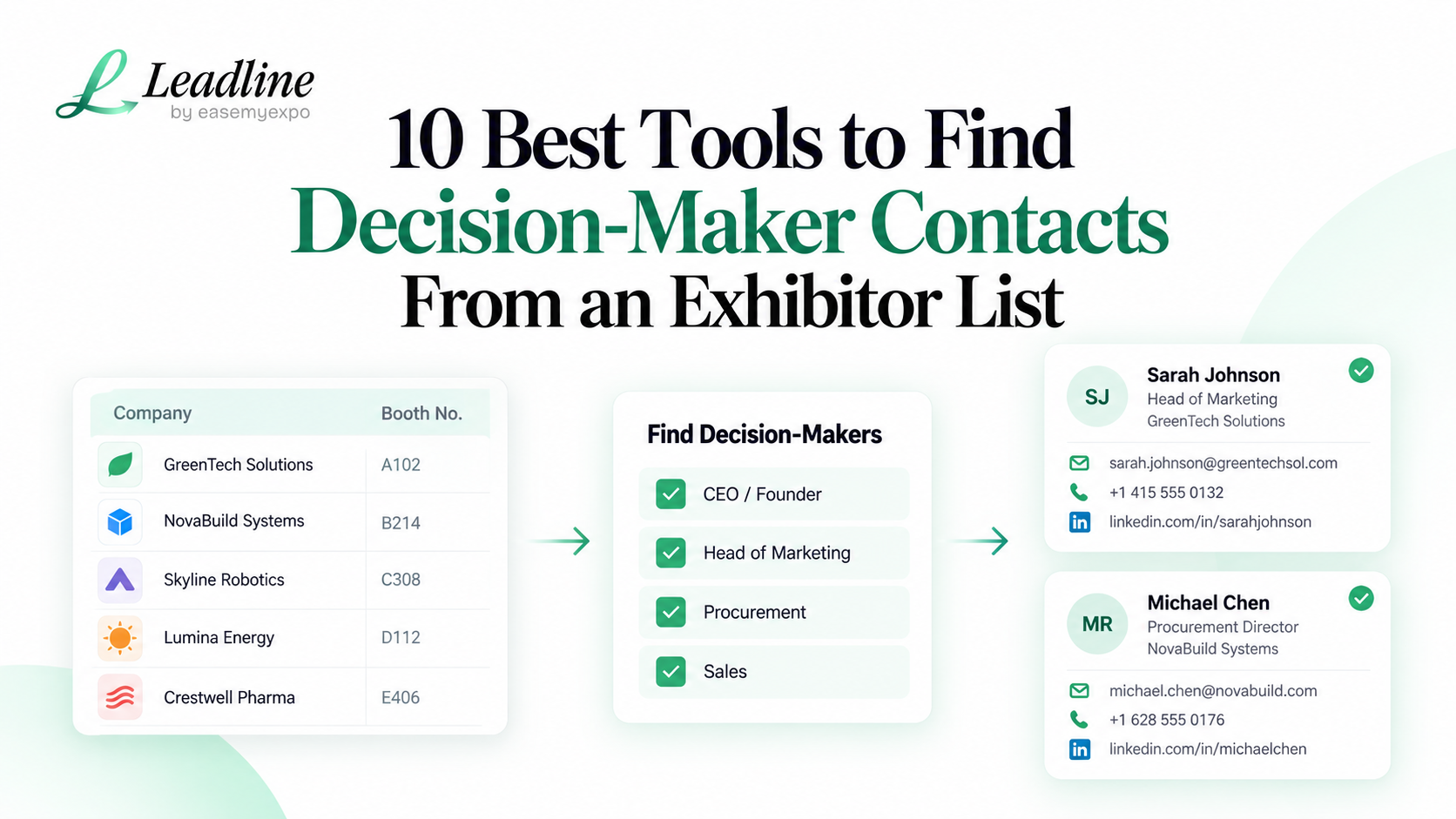
You already have the exhibitor list. That is the good part. The harder part starts when the spreadsheet says 380 companies and your sales team needs actual people, not logos and booth numbers.
To find contacts from exhibitor list data, you need two things to work together: role selection and contact discovery. If the person is wrong, a valid email does not help. If the person is right but the address is stale, the research still fails.
Quick answer: the best way to find contacts from exhibitor list data is to first decide which roles matter for your offer, then use a tool that can search or enrich those companies without losing the event context.
1. Leadline
Leadline is built for the exact moment after you find an exhibitor directory, floor plan, PDF, image or CSV. Instead of researching every company one by one, you can bring the event source into Leadline and choose role filters for the people you want back.
This is useful when the list is large and the show date is close. It keeps the event source and contact research in the same workflow, which means less copying between tabs.
How Leadline finds decision-maker contacts without a full database subscription
2. LinkedIn Sales Navigator
Sales Navigator is one of the best manual research tools when you care more about role fit than speed. Filters for current company, job title, function, seniority and geography make it easier to identify the likely buyer or owner of a problem.
Use it for your highest-priority exhibitors, especially when titles vary by company and a human needs to read the profile before deciding who belongs on the list.
LinkedIn Sales Navigator search filter definitions
3. Apollo
Apollo can search people and companies using filters such as job title, company, location, industry and headcount. If your exhibitor companies are already in a CSV, its enrichment workflow can add or update people and company data.
It is a better fit once the event source is already structured. The company list is the bridge between the show and Apollo's broader prospect database.
Apollo prospect search filters
4. RocketReach
RocketReach is useful for looking up professional contact details when you know the company, person or role you want. For a short exhibitor shortlist, it can sit after manual LinkedIn research: find the person first, then check the available contact details.
5. Lusha
Lusha is another general contact-data option used by sales teams to find business contact information. It fits the same pattern: decide the person, then use the platform to help fill the contact fields.
6. Cognism
Cognism focuses on sales intelligence and positions its data strongly for teams selling into EMEA. It is worth considering if European prospecting and phone coverage are important to your team.
7. ZoomInfo
ZoomInfo is a broad B2B sales intelligence platform. It can make sense for companies that already use a general database across year-round outbound and want trade show accounts to sit inside the same research system.
For an event-only workflow, compare the work required before the database search begins. A company directory and a searchable database solve different parts of the job.
8. Hunter
Hunter is useful when email discovery and verification are the main missing pieces. It is most helpful after you have already identified the person or at least the company domain you want to research.
9. Snov.io
Snov.io combines prospecting and email-related tools. It can fit teams that want contact discovery to sit close to their outreach workflow rather than as a separate research step.
10. Clay
Clay is useful for teams that want to build a custom enrichment flow across multiple data sources. It offers more flexibility than a single lookup tool, but that flexibility comes with more setup and process ownership.
How to choose without buying five tools
Do not start by comparing every database field. Start with your own list. How many exhibitors are there? Is the source a PDF, website, image or CSV? Which departments matter? Do you need work email only, or phone and LinkedIn too? How soon does outreach need to start?
If you need to find contacts from exhibitor list data once or twice a year, a small manual stack may be enough. If this is a repeatable trade show motion, the time spent moving company names between tools becomes a real cost.
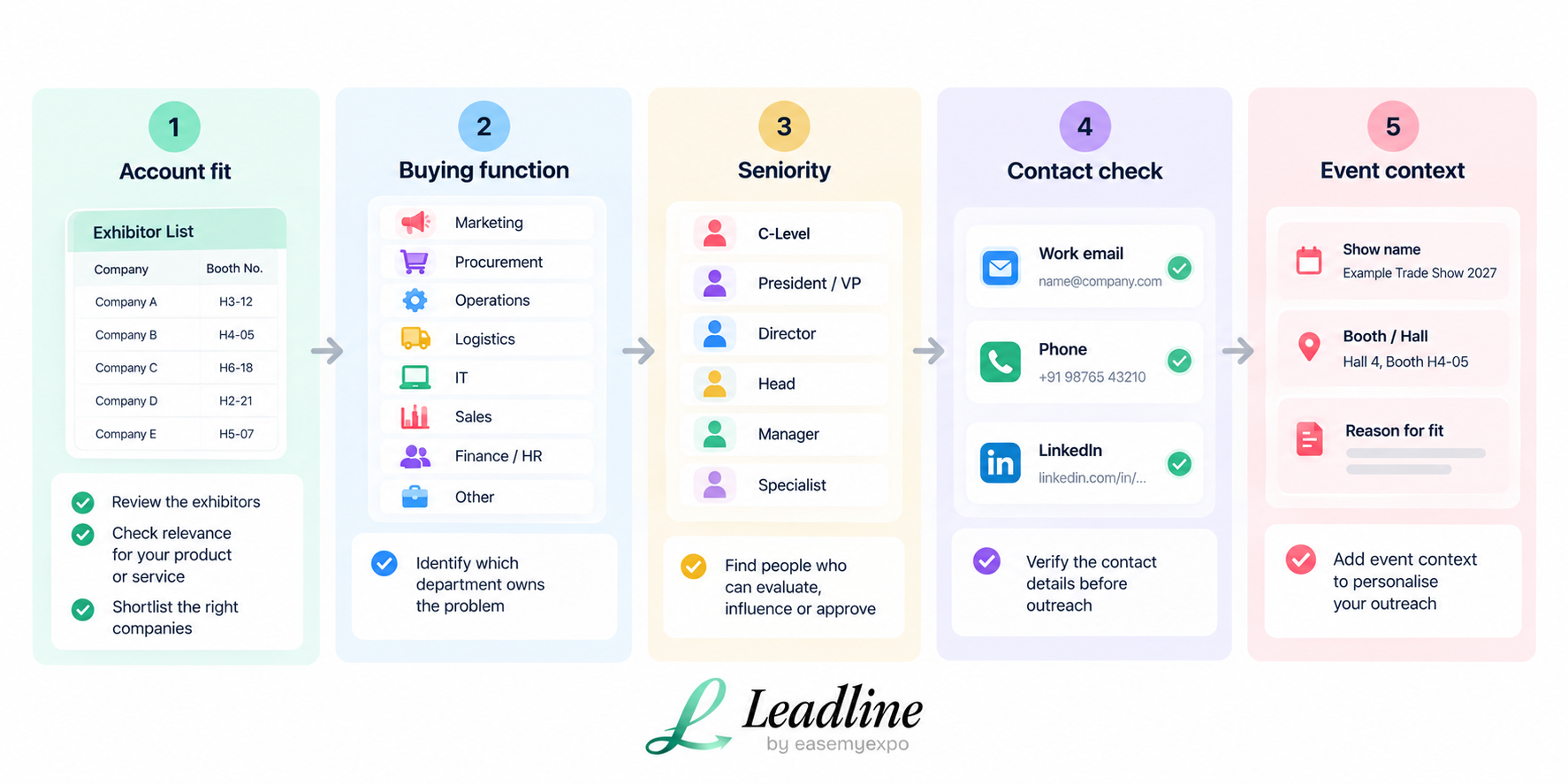
Decision-maker research checklist
Frequently asked questions
How do I find decision-makers from an exhibitor list?
Start with the companies on the official exhibitor list, define the department and seniority you need, then research current employees and verify the contact details before outreach.
Can one tool find every exhibitor contact?
No tool has perfect coverage across every company, role and geography. Use the source and role filters carefully, then review important accounts manually.
What is the fastest way to find contacts from exhibitor list data?
For a large list, the fastest way to find contacts from exhibitor list data is to use an enrichment workflow that accepts the event source, lets you choose roles and returns a structured contact export.
The goal is not the biggest contact file. It is a smaller list where every name has a reason to be there.