Find Decision Makers by Location: Introducing GeoLead Finder
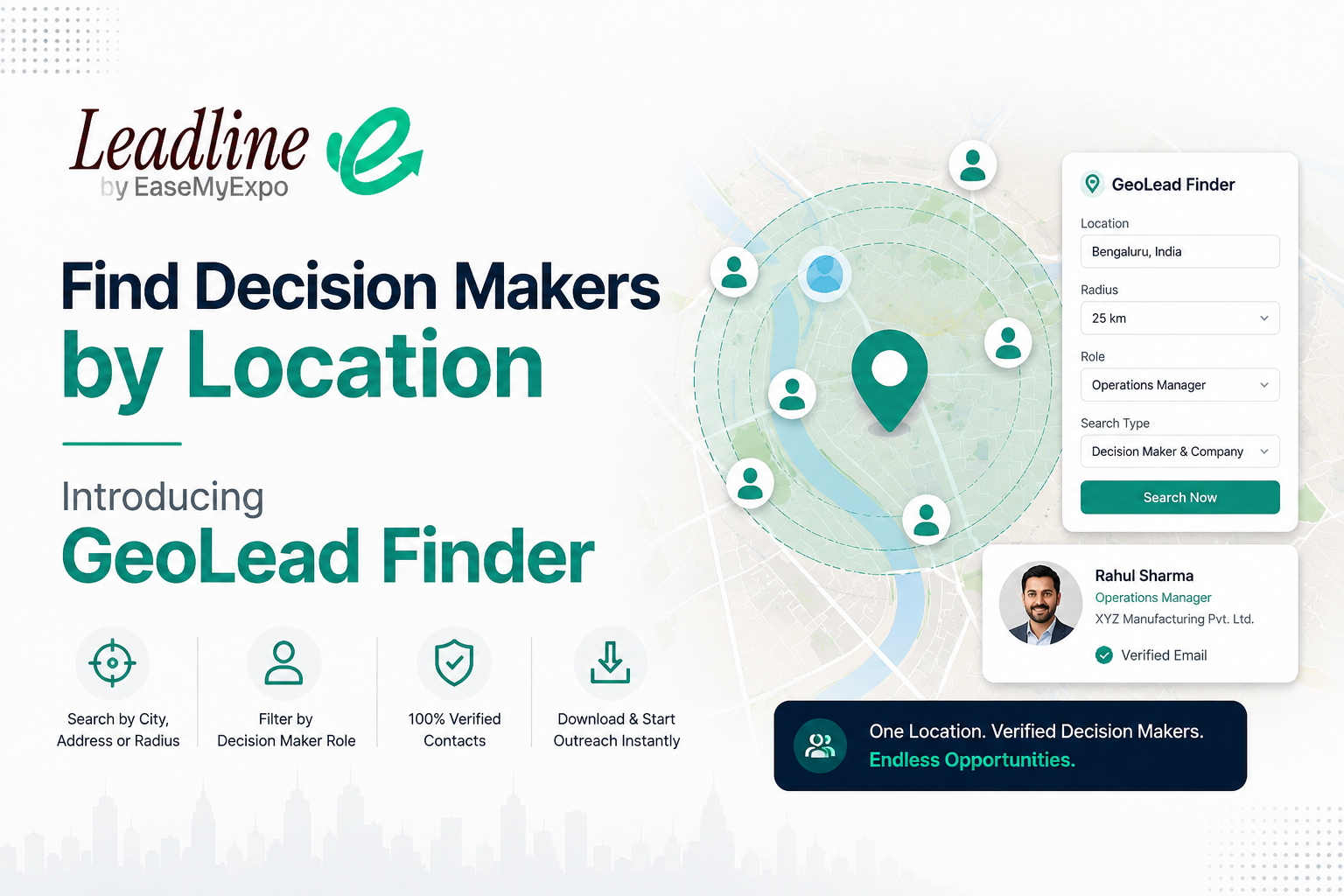
Finding B2B decision makers by location is useful when your sales strategy starts with a territory rather than a company name. A lot of real selling works this way. You're not always chasing one specific company. Sometimes you just need every marketing head within 10 kilometres of your office, or every logistics decision maker in a particular industrial belt.
Until now, that kind of search meant a slow, manual crawl through Google Maps, LinkedIn, and a lot of guessing. This is where GeoLead Finder comes in. It's a new way to search Leadline, one that starts with a location instead of a name.
You can read more about how Leadline finds verified contacts here.
How to Find Decision Makers at a Company
In this article:
- How to Find B2B Leads by Location
- What GeoLead Finder Actually Does
- Who This Is Actually Built For
- Why Start From a Map Instead of a Database
- What You Get Back, and What It Costs
- A Practical Example
- A Few Tips Before You Run Your First Search
- FAQs
How to Find B2B Leads by Location
Before getting into the tool itself, it helps to know what location based lead generation actually involves. At a basic level, it means identifying businesses and decision makers within a defined geography instead of searching by company name or industry alone.
The manual version of this usually looks like searching Google Maps for businesses in an area, cross referencing each one on LinkedIn to find the right person, and then trying to find or guess a working email address. It works, but it's slow, and it doesn't scale past a handful of companies.
GeoLead Finder is built to do this in one step. You give it a location and a role, and it returns verified contacts instead of a list of company names you still have to research.
What GeoLead Finder Actually Does
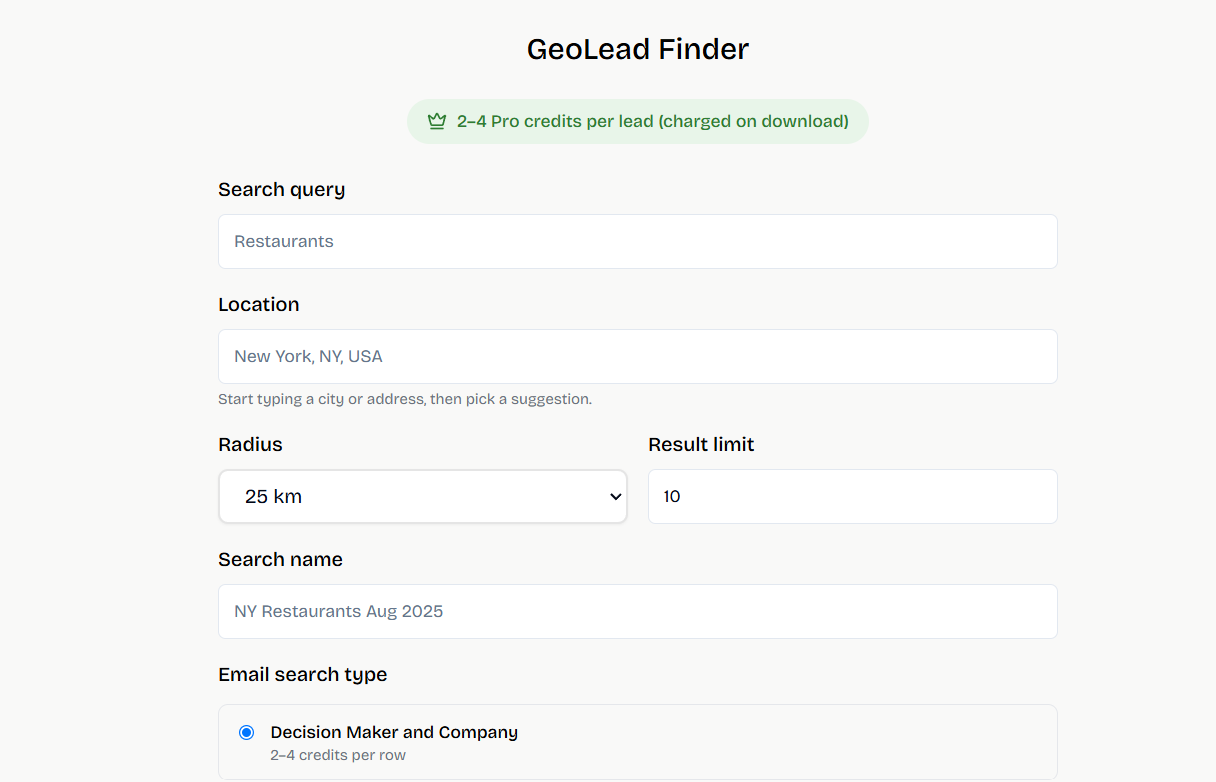
You give it a search query and a location. That location can be a city, a neighbourhood, or a specific address. From there, you control exactly how wide or narrow the search goes.
- Radius: anywhere from 1 kilometre to 100 kilometres, so you can go hyperlocal or regional depending on the task
- Result limit: set how many contacts you want back
- Role filter: CEO, marketing, finance, HR, IT, operations, logistics, sales, or buyer
- Search type: choose how much detail you actually need, covered below
The result is a list of verified decision makers and the companies they work at, inside the exact geography you're targeting.
Who This Is Actually Built For
Not every sales team is chasing a fixed list of named accounts. A lot of real world B2B selling is geography first.
- Field sales teams working a territory, who need contacts mapped to their actual zone, not a national database they have to filter down themselves
- Local service businesses like insurance, packaging, industrial supply, and logistics, who sell to whoever is nearby
- Franchise and regional reps who are usually assigned a city or a radius, not a company list
- Agencies pitching local businesses, whether that's marketing, web development, or fabrication
- Event and exhibition organisers, who can pull local exhibitors or sponsors near a venue city before a show opens registration
If you're coming from the exhibitor side of Leadline, this page walks through the rest of what the platform can extract
See how Leadline turns exhibitor lists into verified contacts
Why Start From a Map Instead of a Database
Most sales intelligence platforms, including the large enterprise ones, are built around searching a database of companies and filtering it down. That works well when you already know who you're looking for.
It works less well when your actual question is simpler than that. Who is near me. Who is in this city? Who is in this industrial zone?
GeoLead Finder is built around that question directly. You're not filtering a global database down to a location. You're starting from the location itself.
What You Get Back, and What It Costs
Every result includes a decision maker's name, a verified email address, and the company they belong to. How much detail you get, and what it costs, depends on the search type you choose.
- Decision Maker and Company: both the person and their company, priced between 2 and 4 Pro credits per row depending on enrichment depth
- Only Decision Maker: just the verified person, at 4 credits per row
- Only Company: useful in the research phase, when you want to know which companies exist in an area before paying for contact level detail, at 2 credits per row
Credits are only deducted when you download results, so a search that comes back empty costs nothing.
If you want to see how this fits into Leadline's overall pricing, the full breakdown is here.
A Practical Example
Say you run a fabrication business and want to reach operations heads at manufacturing companies within 25 kilometres of your workshop.
Instead of building that list by hand from LinkedIn searches and cross referencing addresses, you'd set your location, choose a 25 kilometre radius, filter by operations as the role, and set Decision Maker and Company as your search type. What comes back is a ready list you can start calling the same day.
A Few Tips Before You Run Your First Search
- Test your radius before committing credits to a large export. A 1 kilometre search in a dense business district can return more useful results than a 50 kilometre search in a spread out region.
- Filter by role deliberately. Searching across all roles returns more rows, but searching for the specific department that owns your buying decision, like finance for a payroll tool or operations for a logistics tool, tends to return a shorter list that's actually worth working.
- Start with Only Company if you're unsure of the area. It's the cheapest way to see whether a location is worth a deeper search before you spend on contact level detail.
FAQs
What is location based lead generation?
It's the process of finding businesses and decision makers within a specific geography, such as a city, neighbourhood, or radius, rather than searching by company name or industry alone.
How is GeoLead Finder different from a regular company search?
A regular company search starts with a name or a list you already have. GeoLead Finder starts with a place. You set a location and a radius, and it returns verified contacts for businesses inside that area.
Can I search by a specific role, like finance or operations?
Yes. You can filter results by role, including CEO, marketing, finance, HR, IT, operations, logistics, sales, and buyer, so you're not stuck sorting through irrelevant contacts.
Do I get charged if a search returns no results?
No. Credits are only deducted when you download a result, so an empty search costs nothing.
Is GeoLead Finder useful outside the exhibition industry?
Yes. While it works well for finding exhibitors or sponsors near a venue city, it's built for any team that sells by territory, including field sales, local service businesses, franchises, and agencies pitching local clients.
Find Decision Makers Near Your Target Location
GeoLead Finder is one of several ways into Leadline's contact database. If you already have a list, a PDF floor plan, or an exhibitor directory URL, those extraction methods are still there and still free to use. GeoLead Finder is for the moments when you don't have a list at all, just a place you want to reach.
Have a location but no prospect list? Start with the area you want to target. Choose your radius, select the decision-maker role you need, and find verified contacts for your next sales campaign.
Start Your GeoLead Search on Leadline
If you're mapping out a broader outbound strategy and want to see how location search fits alongside exhibitor extraction and CSV upload, the tradeshow calendar is a good place to see what's coming up in your industry