Best Exhibitor List Enrichment Tools for Trade Show Prospecting in 2027
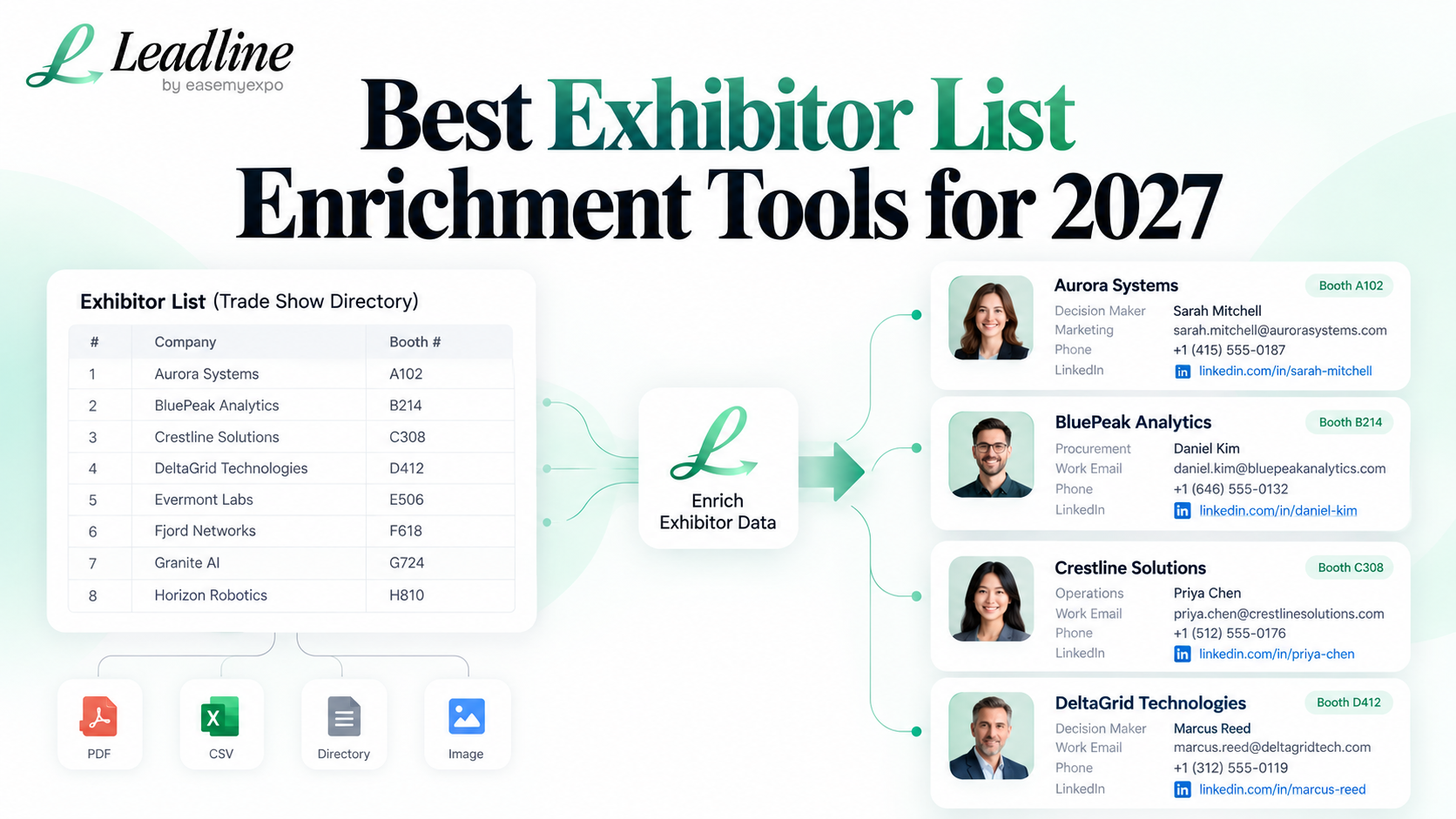
An exhibitor list looks useful until someone has to sell from it. Company names and booth numbers tell you who will be on the floor, but they do not tell you who owns the budget, who runs procurement, who handles partnerships, or who should receive the first email. That gap is why teams start looking for exhibitor list enrichment tools.
The right tool depends on your starting point. If you already have a clean CSV of companies, a general sales database may be enough. If your source is a floor plan, image, PDF, or organiser directory, the work starts one step earlier. You first need to turn exhibition data into companies, then find the people that matter at those companies.
Quick answer: the best exhibitor list enrichment tools are the ones that match the format you already have and the contact fields you actually need. For exhibition prospecting, input format, role filters, contact verification and export quality matter more than the size of the database written on a pricing page.
What to check before choosing a tool
Start with the file sitting in front of you. Can the tool take a directory URL, a PDF floor plan, an image, a CSV, or only a list of company domains? A tool can be excellent at contact search and still create extra work if your team first has to retype 300 exhibitor names into a spreadsheet.
Then check how it handles people. A useful result is not ten random employees at each exhibitor. You need the right department and level for what you sell. That could be marketing, procurement, operations, logistics, IT, sales, finance, HR, a buyer, or the leadership team.
How to find and extract exhibitor lists before enrichment
Finally, check what comes back. Name and title are a start. Work email, phone number and LinkedIn profile make the list easier to act on. Verification matters because a beautifully formatted export is still poor data if the person has changed roles or the address does not work.
1. Leadline: built around exhibition lists
Leadline starts from exhibition data rather than asking you to begin with a perfect account list. You can use an exhibitor directory URL, PDF, image, CSV or direct company input, then filter for roles such as leadership, marketing, procurement, operations, logistics, IT, finance, HR, sales or buyers.
That makes it a practical fit when your team has already chosen the event but has not yet built the prospect list. The workflow is simple: bring the event source, narrow the companies, choose the roles, and export the contacts you want to work before the show.
See what an exhibitor list contains before you enrich it
2. Apollo: useful when the account list is already structured
Apollo is a broader sales prospecting platform. Its current search filters include job title, location, company size, industry and other people and company criteria. It also supports CSV enrichment, which is useful when you already have a structured file and want to add or refresh contact and company fields.
For an exhibitor workflow, Apollo makes more sense after the event data has been cleaned into companies or domains. If your starting point is an organiser PDF or a floor plan image, you still need an extraction step before the usual people search or enrichment workflow begins.
Apollo guide to CSV enrichment
3. LinkedIn Sales Navigator: strong for manual role research
Sales Navigator is useful when you want a rep to research a smaller set of high-value exhibitors carefully. Current filters include company, current job title, function, seniority, geography and industry. That makes it good for answering a very human question: who at this specific company looks most relevant to my offer?
It is less convenient for turning a raw event file into a finished contact sheet in one pass. For a shortlist of ten strategic accounts, that may not matter. For several hundred exhibitors, the manual search step becomes the work.
LinkedIn Sales Navigator lead and account filters
4. Clay: flexible enrichment workflows
Clay is useful for teams that like building their own data workflows and combining multiple enrichment sources. It can be a good fit when you have technical operations support and want to control each step of the enrichment chain.
The trade-off is setup. If the only job is turning one exhibitor list into relevant contacts before next week, a configurable workflow can be more than you need.
5. RocketReach, Lusha and Cognism: general contact research
RocketReach, Lusha and Cognism are general B2B contact and sales intelligence options. They can help when you know the company or person you are looking for and need contact information. Cognism positions itself strongly around EMEA data, while the others are commonly used for broader prospect research.
These are worth comparing when your event research already produced a clean target account list. The important question is still the same: how much manual work sits between the organiser's exhibitor source and the contact export?
Cognism sales intelligence overview
Which setup fits a trade show team?
If you attend one show and care about twenty named accounts, manual research in Sales Navigator plus a contact lookup tool can be perfectly reasonable. If you attend shows regularly and your inputs arrive as PDFs, images, exhibitor directories and spreadsheets, event-specific workflow matters much more.
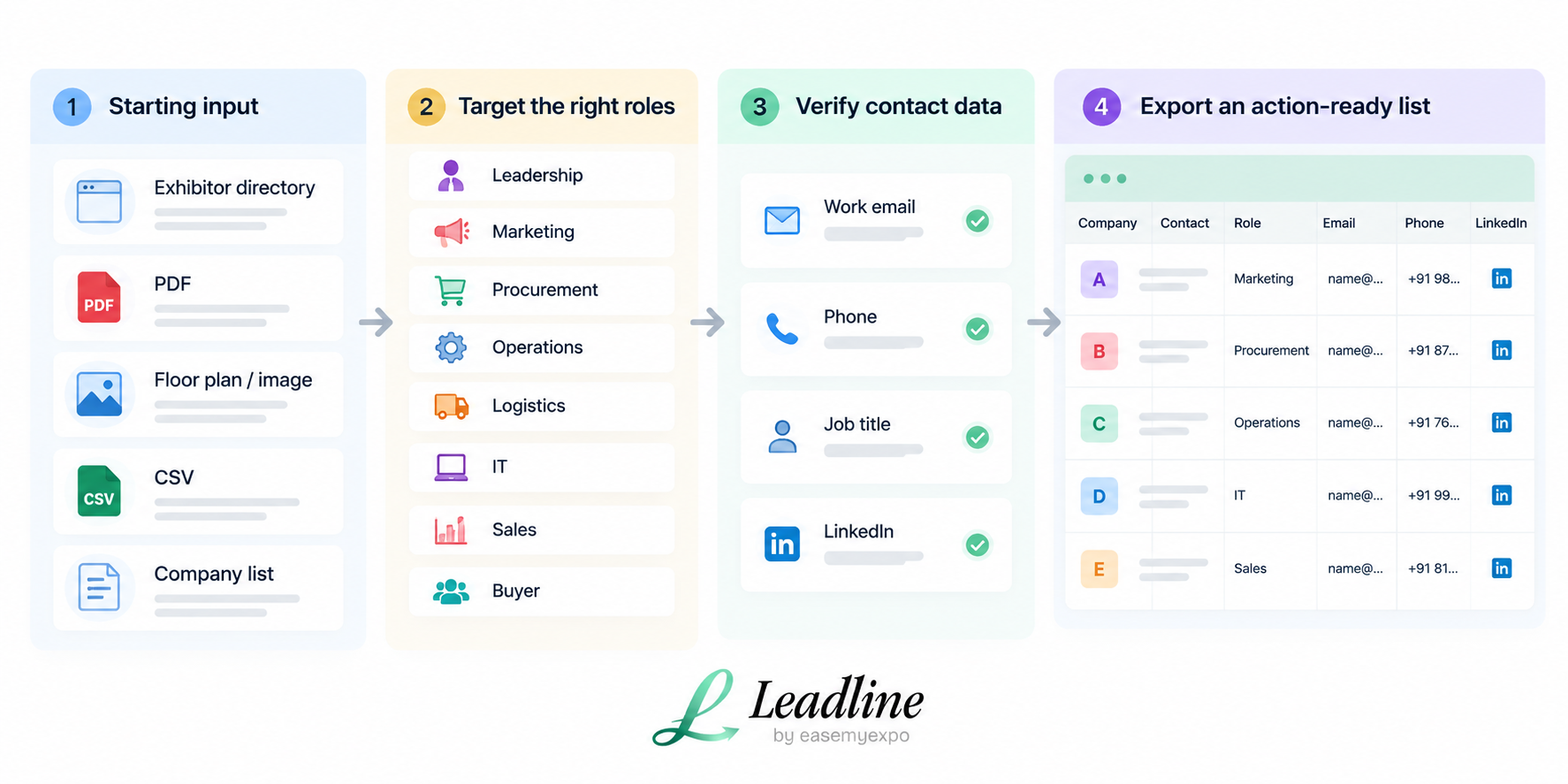
That is the useful way to compare exhibitor list enrichment tools. Do not start with feature count. Start with your event source, the roles you need and the deadline before the doors open.
Frequently asked questions
What is exhibitor list enrichment?
Exhibitor list enrichment means taking a basic list of exhibiting companies and adding useful sales fields such as relevant decision-makers, job titles, verified work emails, phone numbers and professional profiles.
Can I enrich a PDF exhibitor list directly?
It depends on the tool. Leadline is designed to accept event sources such as PDFs, images and directory URLs. Many general prospecting platforms work best after the companies have already been structured into a CSV or domain list.
Which exhibitor list enrichment tools are best for large events?
For large events, choose exhibitor list enrichment tools that reduce manual extraction, let you filter by role and return contact fields your sales team can use immediately. The best choice depends on the format and size of your source list.
An exhibitor list becomes useful when the company name is connected to a person worth speaking to before the show.